May 7, 2026 by Burhan Khanzada
Servo with Slint Update: Windows Support 

A follow-up to Using Servo with Slint: A Journey of Rust and Rendering
When we published our first blog post about integrating the Servo browser engine into Slint, we ended the Windows section with two honest sentences:
"We've begun work to implement hardware rendering to match the performance of our macOS and Linux implementations. Meanwhile, we're falling back to software rendering, proving the integration works. Stay tuned."
We finally have something concrete to share. Today we walk through how we completed the Windows hardware rendering path, bridging Servo's OpenGL/ANGLE output into Slint's DirectX 12 rendering pipeline via WGPU.
Before jumping straight into the technical details, I would like to explain a bit about the context of this achievement since it's not only technical but also personal.
My Role and Innovationsfachkraft Grant
When I joined Slint as a Working Student Software Engineer in September, the Servo integration was an open-ended investigation task that would need to be addressed in the long run.
What made this feasible was the Innovationsfachkraft grant program. SixtyFPS GmbH obtained this grant in order to fund the research behind Servo integration into Slint. The ability to dedicate myself solely to working on this project made it possible to delve into it deeply, researching the topic of web rendering and GPU synchronization thoroughly without the pressure to deliver something quickly.
This blog post also marks the end of my Working Student role at Slint. Nine months ago I had never written a line of Rust or touched a GPU API. Now I've built a cross-platform graphics bridge which will help Slint users render web content natively inside their apps. Seeing it work across platforms has been rewarding.
Quick Recap: The Challenge on Every Platform
In our previous blog post, we demonstrated the first successful integration of Servo into Slint, with HTML/CSS rendering and input handling already working across MacOS, Linux, Android, and Windows. The remaining challenge was achieving efficient hardware-accelerated texture sharing on every platform.
As described previously, the core problem came from the mismatch between the rendering backends. While Surfman renders through OpenGL, Slint relies on different graphics APIs depending on the operating system. The goal was therefore to transfer the texture produced by Servo into Slint's renderer as efficiently as possible without copying anything through the CPU.
MacOS, Linux, and Android already had working GPU-backed rendering paths, but Windows still relied on a temporary software rendering fallback. The missing piece was finding a zero-copy bridge between Servo's ANGLE/OpenGL rendering pipeline and Slint's Direct3D 12 renderer.
| Platform | Surfman renders via | Slint graphics backend | Sharing solution |
|---|---|---|---|
| macOS | OpenGL | Metal / WGPU | IOSurface |
| Linux | OpenGL | Vulkan / WGPU | VK_KHR_external_memory + FD |
| Android | OpenGL ES | Vulkan / WGPU | Same as Linux |
| Windows | OpenGL via ANGLE | DirectX 12 / WGPU | Shared texture |
Windows (DirectX-D3D bridge)
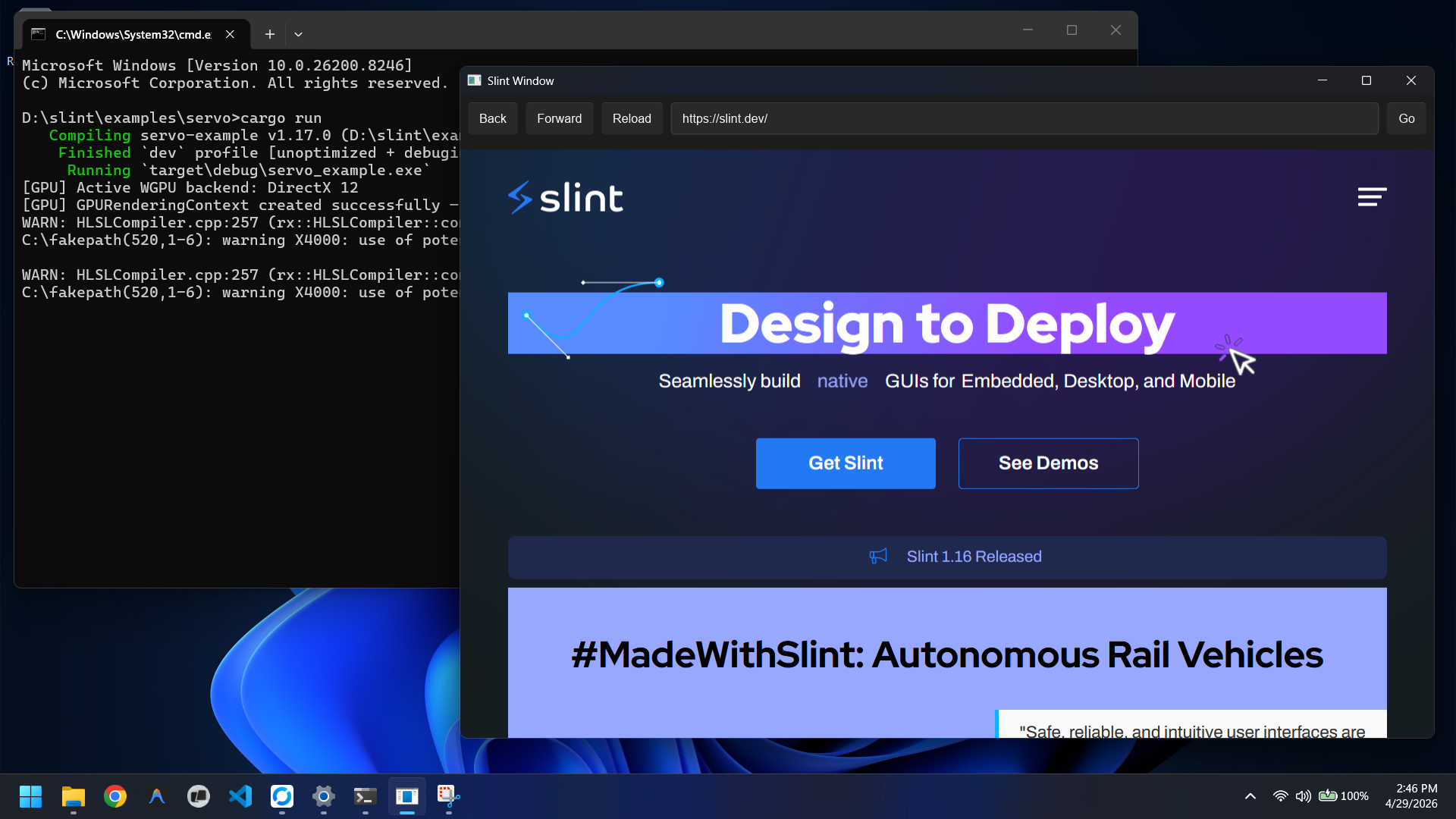
As already mentioned, on Windows the Surfman library uses ANGLE, which allows for implementing OpenGL via translation to Direct3D 11 internally. Therefore, on one side there will be a texture rendered using D3D11, and on the other side Slint using D3D12 through WGPU.
Therefore, we needed to find a way for both to access the same texture without copying it through the CPU. After trying a couple of dead ends, we found that Direct3D already had a built-in solution in the form of an NT shared handle. By exporting the handle from the D3D11 texture and opening it on the D3D12 device, both sides end up pointing at the same GPU memory allocation no intermediate copy required.
Here are the steps involved in performing the bridge:
-
Getting the D3D11 device: Surfman exposes the underlying D3D11 device through
native_device(), which ANGLE creates internally. By casting the raw pointer toID3D11Device, we get the device needed to allocate a shared texture. -
Creating a shared D3D11 texture: A texture is created with the flags
D3D11_RESOURCE_MISC_SHAREDandD3D11_RESOURCE_MISC_SHARED_NTHANDLE. UsingIDXGIResource1::CreateSharedHandle, we export it as an NT handle. Once D3D12 imports it, the original handle can be closed since it holds its own reference to the underlying resource. -
Binding as an EGL surface: The D3D11 texture is passed into Surfman via
create_surface_texture_from_texture. Under the hood, this uses theEGL_ANGLE_d3d_share_handle_client_bufferextension to bind the texture to an EGL surface. From there, OpenGL can render directly into it. -
Importing into WGPU: The NT handle is opened with
ID3D12Device::OpenSharedHandle, producing anID3D12Resourcethat points to the same GPU memory. WGPU then wraps this resource usingtexture_from_rawandcreate_texture_from_hal, effectively adopting it instead of allocating something new. -
Blitting and flipping: Servo renders into its own framebuffer. To move that into the shared texture, we bind the GL texture as a draw target and use
glBlitFramebuffer. By flipping the Y coordinates during the blit(0, 0, w, h)to(0, h, w, 0)we also correct the OpenGL vs. Direct3D origin difference.
Where Things Stand
The integration now runs with full hardware acceleration on MacOS, Linux, Windows and Android:
- HTML/CSS rendering within Slint window
- Input events support (mouse clicks, scrolling and touching)
- Keyboard event handling (including HTML forms)
- Single Rust codebase running across all platforms
What's still ahead: JavaScript <-> Rust communication, adding WebView Slint widget and multiple WebView support.
Trying It Out
git clone https://github.com/slint-ui/slint
cd slint/examples/servo
cargo run
For Windows users: You'll need to have Visual Studio installed and set the
LIBCLANG_PATHenvironment variable pointing to its LLVM tools. More details can be found in the example README file.
We'd love to hear what you think — drop by the GitHub discussion or open an issue.
A Personal Note
Coming from a mobile developer background, having never touched GPU programming, Rust, or browser internals before, this project pushed me to learn more and faster than I thought possible. The Innovationsfachkraft grant program gave me the space to experiment properly rather than rushing to a working prototype.
Simon's guidance and feedback was invaluable throughout my time at Slint, not just on architecture, but in the details that actually matter by asking questions and pushing me to think about problem from different angles.
Finally, I want to thank everyone at Slint who supported me during my time here. It has been an incredible experience working with you all.

Slint is a Rust-based toolkit for creating reactive and fluent user interfaces across a range of targets, from embedded devices with limited resources to powerful mobile devices and desktop machines. Supporting Android, Windows, Mac, Linux, and bare-metal systems, Slint features an easy-to-learn domain-specific language (DSL) that compiles into native code, optimizing for the target device's capabilities. It facilitates collaboration between designers and developers on shared projects and supports business logic development in Rust, C++, JavaScript, or Python.