January 19, 2026 by Burhan Khanzada
Using Servo with Slint: A Journey of Rust and Rendering 
I am Burhan Khanzada, with a passion for cross-platform development and a background in Android native and Flutter development. I joined Slint in September as a Working Student Software Engineer. I have been working on an exciting project: integrating the Servo browser engine with Slint to enable web content rendering within a Slint application.
My transition from Flutter to Rust was a leap. While I was familiar with UI concepts, Rust's ownership model and low-level graphics programming like Metal, WGPU, OpenGL, and textures were new to me.
The Goal
Slint is designed to be lightweight and efficient, but many modern applications still need to render web content - for example, OAuth flows, showing documentation, or reusing existing web assets.
This post shows how you can use Servo with Slint to render web content in your applications. It involves bridging two rendering systems, handling input events back and forth, and ensuring cross-platform compatibility. This post details the journey and the technical solutions we implemented.
Check out the Servo Example to see it in action.
Why Servo?
We chose Servo because, like Slint, it is built on Rust. This alignment promises to require the least amount of API and build system bridging, greatly simplifying the integration.
While Servo is still experimental, it is actively maintained by a vibrant community and is improving at an impressive rate. Its modular design allowed us to embed it as a library more easily, and contributing back to an open-source Rust project felt like the right path for the ecosystem.
Technical Details
Event Loop & Waker Handling
Servo runs on its own threads, but Slint drives the main thread's event loop. To make them work together, we needed a way for Servo to communicate to Slint when it has a new frame ready to paint using EventLoopWaker.
We introduced a custom Waker struct that implements Servo's EventLoopWaker trait and uses a smol::channel to bridge the gap. The Waker holds the sender side of the channel, and when wake() is called, it sends a signal. The main Slint loop listens on the receiver side, effectively unblocking the event loop whenever Servo needs attention. This seemingly simple mechanism is the heartbeat that keeps the two engines in sync.
Efficient Rendering
Servo renders web content using OpenGL, managing its own rendering context via Surfman. Slint, however, might be using a different backend like WGPU, Metal, or Vulkan depending on the platform. The goal is to take the OpenGL framebuffer that Servo has rendered into and display it within Slint's window without killing performance with CPU copies.
For the first iteration, we used a "software rendering" approach. Servo would render the web page into a pixel buffer in system memory (CPU), and we would copy this buffer into a Slint Image every frame. While this was functional and easy to debug, it was far from performant. Copying textures of rendering buffers from CPU to GPU every frame is a bottleneck. To eliminate this bottleneck, we needed to make Servo render directly on the GPU and then reuse that resulting texture within Slint, eliminating the costly copy.
MacOS (Metal)
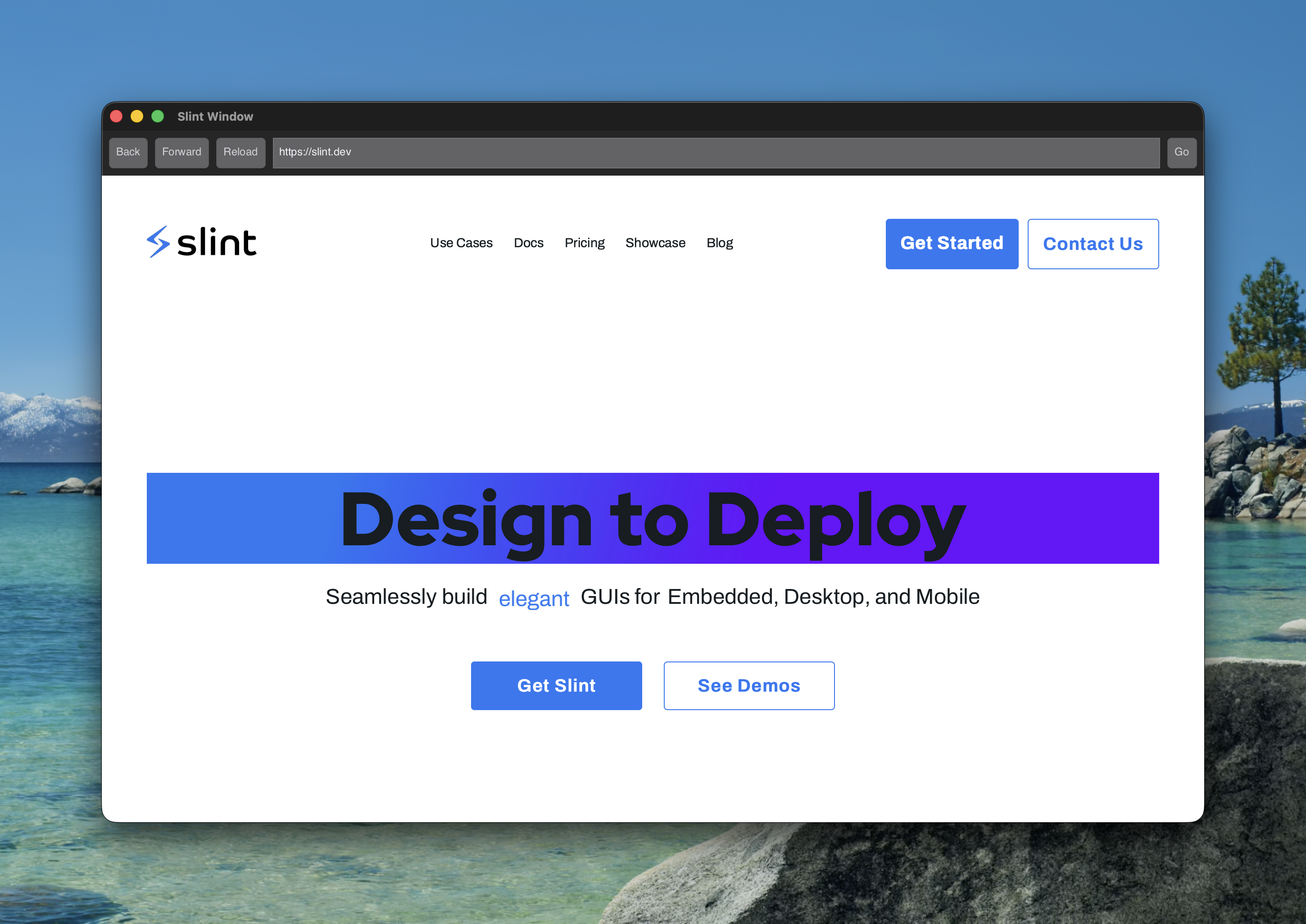
For hardware rendering on macOS, we can leverage IOSurface via Surfman to share GPU memory efficiently. The goal was to import this surface into WGPU without performing any CPU copies.
The process involves bridging several layers of abstraction:
-
Retrieving the IOSurface: Surfman provides the underlying native surface handle, which on macOS is an
IOSurfaceRef. -
Accessing the Metal Device: To create a texture from the surface, we need the underlying Metal device. We extract the raw Metal device pointer from the WGPU instance using the
as_halAPI. -
Creating the Metal Texture: We use
objc2-metalto call the native[device newTextureWithDescriptor:iosurface:plane:]method. This creates aMTLTexturethat shares memory with theIOSurfacewithout copying. -
Importing to WGPU: We invoke
wgpu::hal::metal::Device::texture_from_rawto create a HAL texture. Sincewgpu-halexpects types from themetalcrate, we first wrap ourobjc2object usingmetal::Texture::from_ptr. Finally, we convert the HAL texture into a fully standardwgpu::Texture. -
Texture Flipping: Since OpenGL and Metal use different coordinate systems, the imported texture is upside down. We perform a lightweight WGPU render pass to sample the texture and flip it vertically using a custom shader.
Linux and Android (Vulkan)
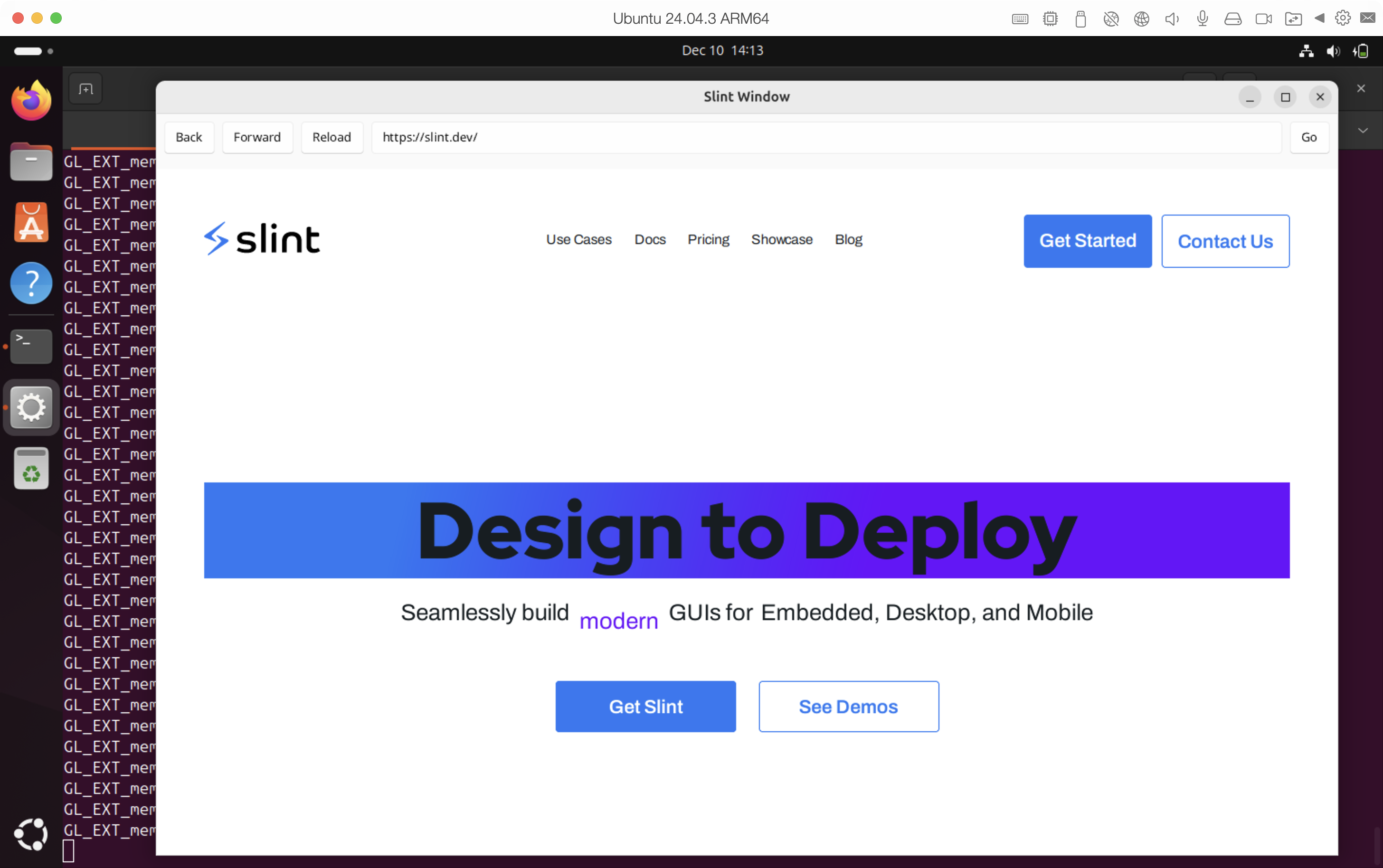
On Linux, we opted for a Vulkan-based implementation. My colleague Ashley implemented the Vulkan rendering backend, providing a solution that efficiently shares textures between Servo's OpenGL context and Slint's Vulkan context.
The process involves bridging several layers of abstraction:
-
Vulkan Image with External Memory: We create a Vulkan image and allocate dedicated memory for it, enabling
VK_KHR_external_memoryand specifyingOPAQUE_FDas the handle type. -
Exporting File Descriptor: We retrieve the file descriptor for the allocated memory using the
vkGetMemoryFdKHRAPI. -
Importing to OpenGL: On the OpenGL side, we use the
GL_EXT_memory_object_fdextension to import that file descriptor as a memory object. -
Binding Storage: We create an OpenGL texture and bind the imported memory object to it using
glTexStorageMem2DEXT. -
Blitting and Flipping: We perform a
glBlitFramebufferto copy Servo's framebuffer content into this shared texture. This step also handles the coordinate system difference by flipping the image vertically. -
WGPU Integration: Finally, since the underlying memory is a valid Vulkan image, we can wrap it directly into a
wgpu::Textureusingcreate_texture_from_hal.
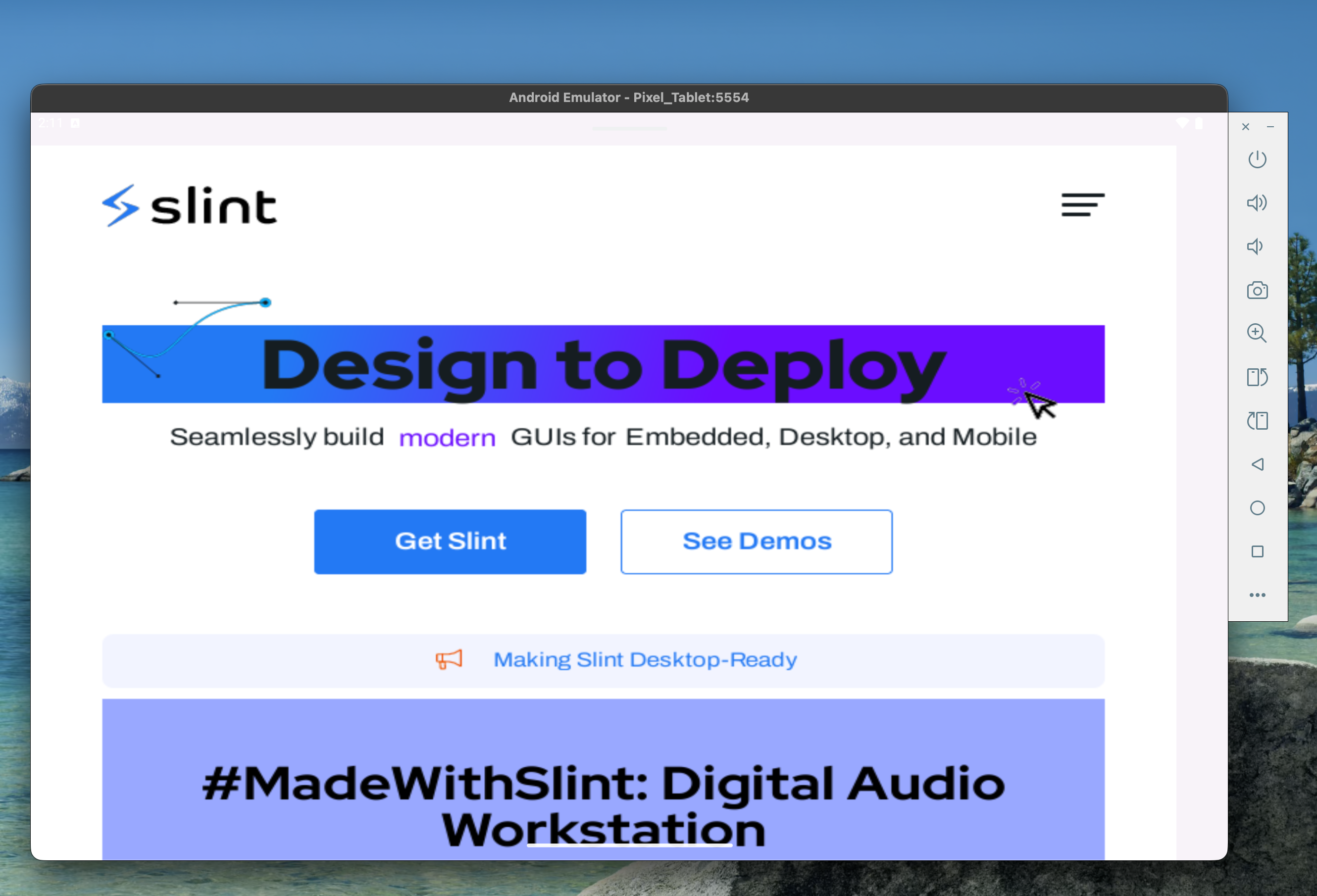
Android's graphics stack provides Vulkan, so we can reuse the existing code. To make it work, we merely had to make sure to require the OpenGL ES profile.
Windows (DirectX)
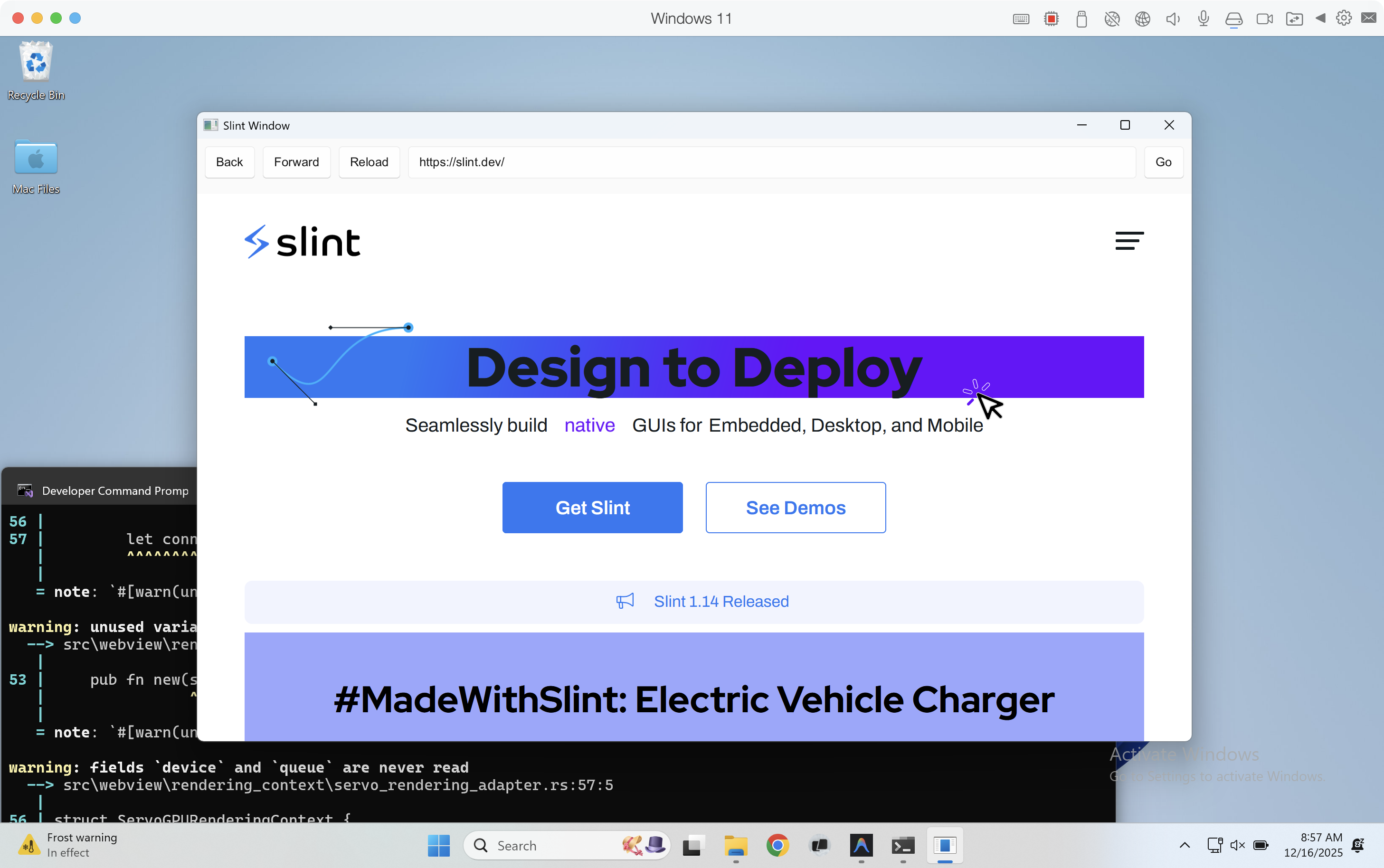
We've begun work to implement hardware rendering to match the performance of our macOS and Linux implementations. Meanwhile, we're falling back to software rendering, proving the integration works. Stay tuned.
Update: The Windows hardware rendering path has since landed. See the follow-up post: Servo with Slint Update: Windows Support.
Input Handling: Pointers, Touches, and Keyboard
A webview isn't useful if you can't interact with it.
-
Pointers & Touches: We mapped Slint's pointer events to Servo's input system. We added distinct
TouchPressed,TouchReleased, andTouchMovedevents toWindowEvent, enabling precise touch handling on backends like Android and Qt. -
Keyboard: We implemented keyboard event propagation, ensuring that key codes were correctly translated so that HTML forms could accept input naturally.
The Result
We now have a working example to showcase the integration and help users build webview applications using Slint. You can now check out the Servo Example in the Slint codebase.
The integration currently supports the following features:
- Rendering HTML/CSS content.
- Interactive clicking, touch-control, and scrolling.
- Running on desktop (MacOS/Linux/Windows) and Android.
Personal Reflection
Coming from the world of mobile development, diving deep into Rust, graphics pipelines, and browser engines has been an incredible learning experience.
I’m grateful for the mentorship from Simon, who guided me through the architectural decisions and debugging sessions, and Ashley, whose expertise in graphics was invaluable. This project not only added a feature to Slint but also marked a significant milestone in my growth as a Software Engineer.
We invite you to try out the example, look at the code, and give us feedback!
Continue reading: Servo with Slint Update: Windows Support — the follow-up post on the Windows hardware rendering path.

Slint is a Rust-based toolkit for creating reactive and fluent user interfaces across a range of targets, from embedded devices with limited resources to powerful mobile devices and desktop machines. Supporting Android, Windows, Mac, Linux, and bare-metal systems, Slint features an easy-to-learn domain-specific language (DSL) that compiles into native code, optimizing for the target device's capabilities. It facilitates collaboration between designers and developers on shared projects and supports business logic development in Rust, C++, JavaScript, or Python.