July 3, 2026 by Nigel Breslaw
Getting Good Vibes from Slint 
A recent video about Rust being the ideal vibe coding language got me thinking. "Codex, please write a Slint post about AI, no grammar mistakes and make everyone on Hacker News happy". Kidding!
At work I wear two hats, UX designer and developer and I design by building something real, putting it in front of people, and see where it holds up. But it is also slow. Five ideas often become one, or at best two prototypes.
AI has changed that. It's changed the cost of experiments to the point they feel "free". Far from making me insecure about my future, it has empowered me and made my skills more valuable. It's also made more of my job fun as I can try out so many more ideas and learn faster. What if Slint could be the ideal language for vibe coding user interfaces? Can Slint avoid the inevitable sloppification of your app? Can we turbo charge the Slint development process for those using AI?
Building on our LSP
As the AI generates Slint code, our LSP gives real-time feedback. That includes syntax errors, binding loop detection and code linting. Hot reloading means there is no compile step, so AI can fix its errors as fast as it generates them.
AI Skills
The repo has a whole “AI Coding Assistants” docs page for installing the Slint skill in Claude Code, Codex, and Cursor style flows. Installing these skills will let your coding assistant get the most out of Slint.
Introducing the Slint MCP
AI has limited ability to reason visually. This is sometimes dealt with by scanning all the UI files and making a guess about what the app looks like at runtime. It's slow, it burns an absurd number of tokens and it is error prone. The new Slint MCP isn't an external service, but instead is compiled into your app. It gives your AI the ability so see its internals. Yes it can screenshot views, but processing images is slow and burns a lot of tokens. Instead the AI gets access to the real layout tree. No more guessing what the UI is like, it can see the current state at runtime and respond to those problems.
Enabling the AI to Interact with the Real App
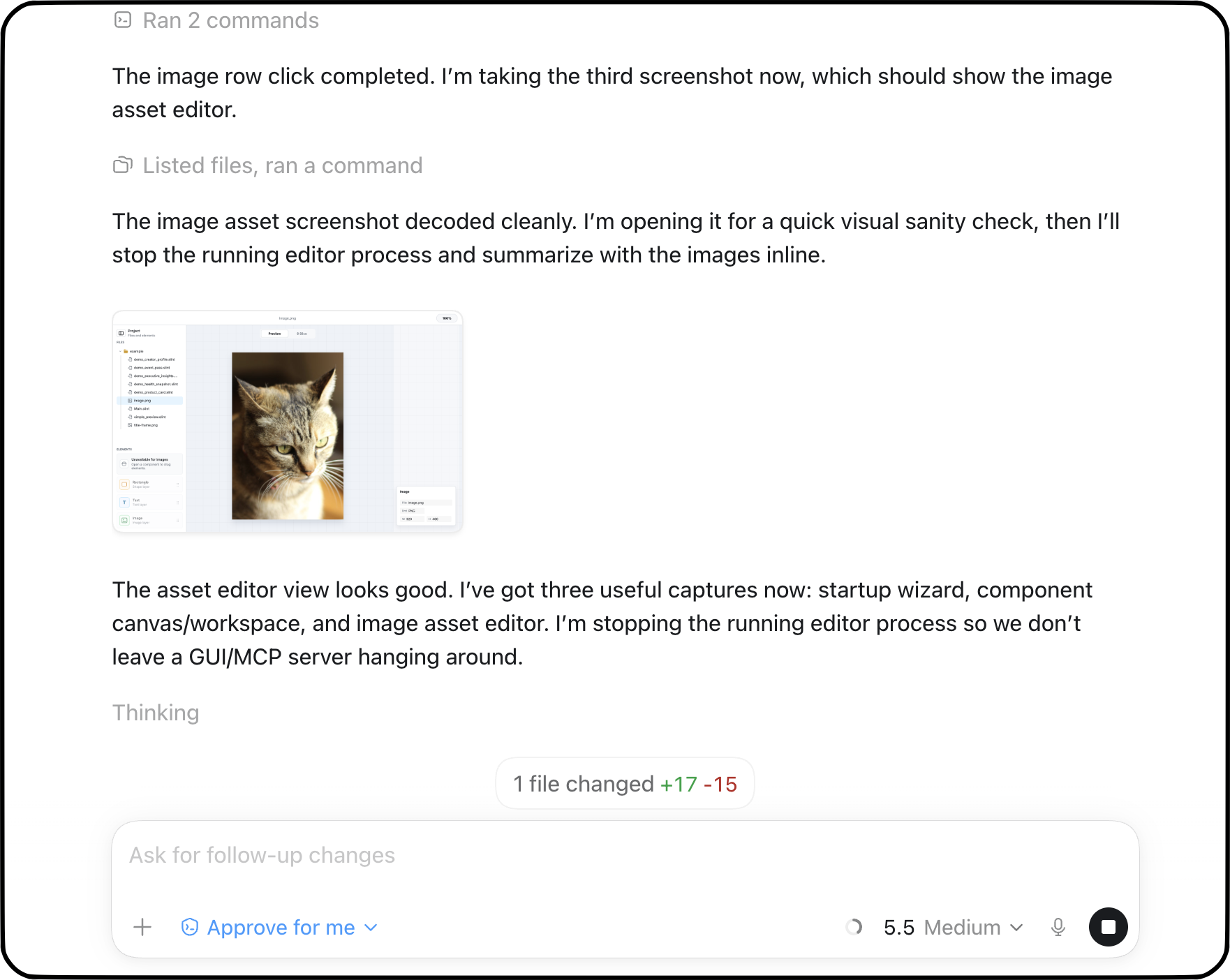
The MCP can list windows, inspect window properties, get/query element trees, inspect accessibility properties, it can also click, drag, and dispatch keyboard events. This allows you to set goals and leave an AI to verify it made progress on certain problems without constant human intervention. If there are views and dialogs that need to be navigated, the AI can drive the UI itself, get to the right page and screenshot the results. It can be quite magical seeing screenshots of the work in progress show up inline in your chat window (see above).
Headless MCP
Agents often run in CI, containers, or sandboxes. You can run the MCP with SLINT_BACKEND=headless, including screenshots, without a display server. So the AI can still 'see' what is being produced and validate it.
Interplay with hot-reload

This is the classic UI dev loop. Looks simple but that Rust compile step is often minutes. Did you know even a Slint Rust app can hot reload its UI? We introduced a way to let your Rust app run the UI in interpreter mode and just hot reload Slint files that change. So long as the Rust code, or the bridge API between your Slint UI and Rust does not change, no Rust recompile is needed.

Which can be quite fast indeed when the AI is busy updating the code. This loop now interacts with the MCP allowing your agent to 'see' the live UI and fix and validate problems faster.
More than just Rust
To get up and running start with the docs and from there the Slint Skill will ensure you are set up for all the languages we support so C++, Python and Node all benefit.
If you have access to designs in Figma this system works well just by using the Figma MCP and asking the AI to implement the design in Slint. You can even drop a screenshot into the Claude or Codex desktop app and see how it fares.
This is only the first step. The same loop still has opportunities for reduced token use, generating UIs more predictably, and helping you polish and review real applications via better tooling.
Slint is a Rust-based toolkit for creating reactive and fluent user interfaces across a range of targets, from embedded devices with limited resources to powerful mobile devices and desktop machines. Supporting Android, Windows, Mac, Linux, and bare-metal systems, Slint features an easy-to-learn domain-specific language (DSL) that compiles into native code, optimizing for the target device's capabilities. It facilitates collaboration between designers and developers on shared projects and supports business logic development in Rust, C++, JavaScript, or Python.