March 31, 2026 by Slint Developers
Changing the Default Style in Slint — Deprecating Native-Looking Styles 
Slint is a modern UI toolkit for building native user interfaces on desktop and embedded devices. Our goal has always been ambitious: support all platforms while still feeling native everywhere.
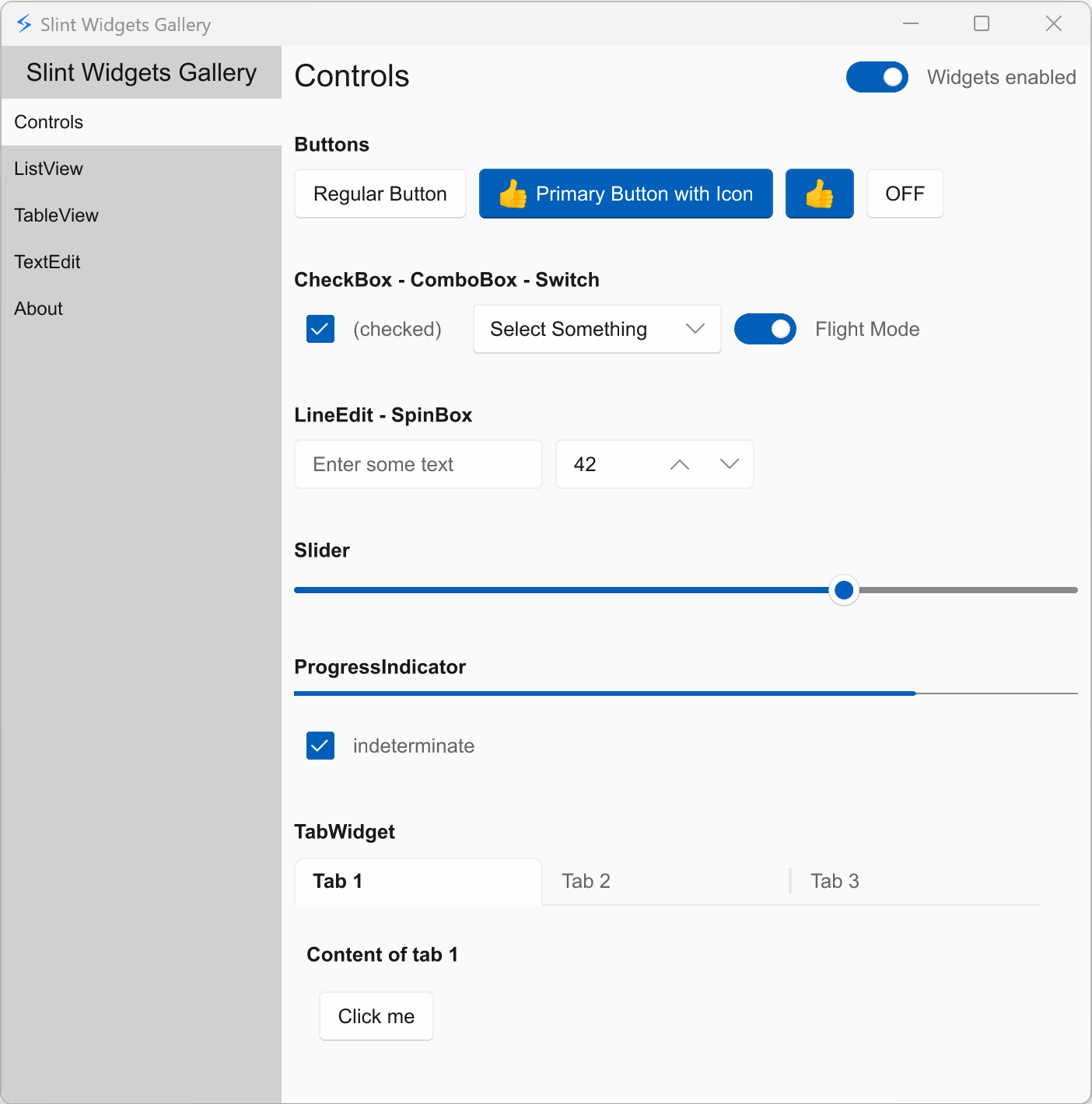
Starting with Slint 1.16, we're making a significant change: Fluent becomes the default style on all platforms, and we'll gradually deprecate the other built-in styles.
How We Got Here
An important part of feeling “native” is both appearance and behavior. Widgets should not only look familiar, but also behave the way users expect on their system. For example, how scrolling works or how the UI responds to actions like right-clicking a scrollbar.
To achieve this, we initially relied on Qt on desktop, and later introduced multiple built-in styles: Fluent (Windows), Cupertino (macOS/iOS), Material (Android), and Qt (Linux).
This allowed widgets from std-widgets.slint to adapt automatically to each platform.
But maintaining five parallel implementations of every widget has a cost we can't ignore anymore. Each widget needs to be implemented, tested, and maintained several times over. This has slowed us down. There are widgets we want to ship but can't justify building in multiple styles at once.
We've also found it increasingly difficult to keep up with platform evolution. Cupertino in particular has fallen into an uncanny valley where it looks close to native macOS but not close enough. At the same time, the ecosystem has evolved. Many modern applications no longer strictly follow native platform styles and instead adopt a consistent cross-platform design. Even platform vendors such as Microsoft are moving in this direction.
What This Means for You
By concentrating on a single style, we're no longer blocked by implementing everything multiple times. We can ship more widgets sooner, with deeper polish and better testing across the board.
In practice:
- If you didn't specify a style, your application now uses Fluent.
- You can still select a specific style by name, or set it to
nativeto keep the previous platform-adaptive behavior. - Non-Fluent styles will receive less updates and eventually be deprecated.
Why Fluent?
Fluent is our most mature and polished style. It feels at home on Windows and still looks good on Linux and macOS. Its design is clean and modern.
Platform-Specific Behavior Stays
We're unifying the visual style, not the behavior. Slint will continue to respect platform conventions like scrolling physics, scrollbar interaction, and input behavior.
For mobile platforms, we also have a component set based on Material Design.
Looking Ahead
We know this change won't please everyone. That's why we're also investing in making it easier to create and maintain custom styles, so you can tailor your application's appearance to any platform or brand.
As Slint grows and if there's enough demand, we may revisit native-looking styles for more platforms in the future.
Our team's resources are finite, and right now we believe this is the best trade-off to make Slint better for everyone.
Slint is a Rust-based toolkit for creating reactive and fluent user interfaces across a range of targets, from embedded devices with limited resources to powerful mobile devices and desktop machines. Supporting Android, Windows, Mac, Linux, and bare-metal systems, Slint features an easy-to-learn domain-specific language (DSL) that compiles into native code, optimizing for the target device's capabilities. It facilitates collaboration between designers and developers on shared projects and supports business logic development in Rust, C++, JavaScript, or Python.